
The full CRM, from your phone.
An interface built for the phone, with its own navigation and push notifications. It is not a cut-down version of the desktop.
The Victoria CRM app for your phone, with the same login you use on the desktop.
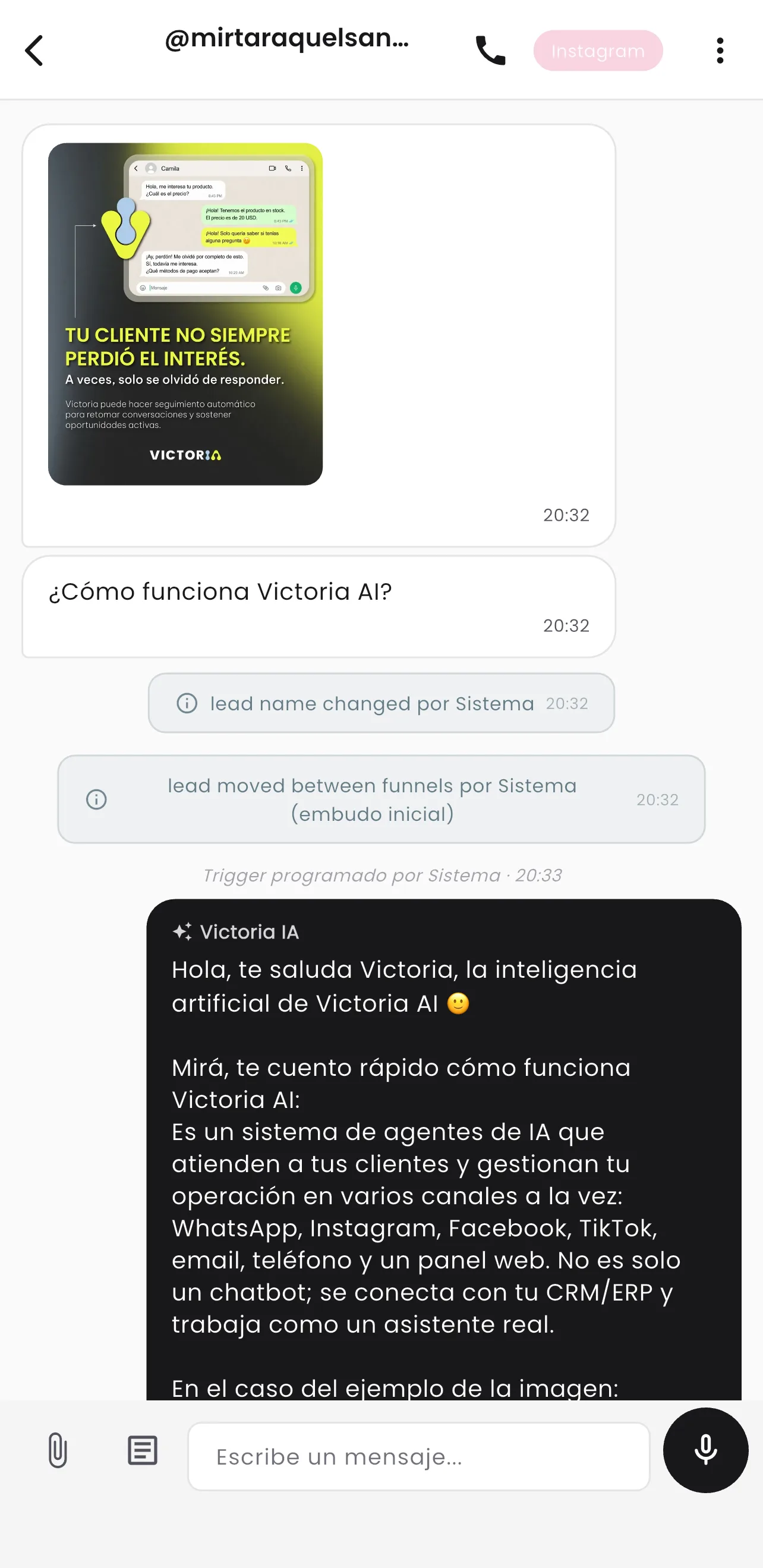
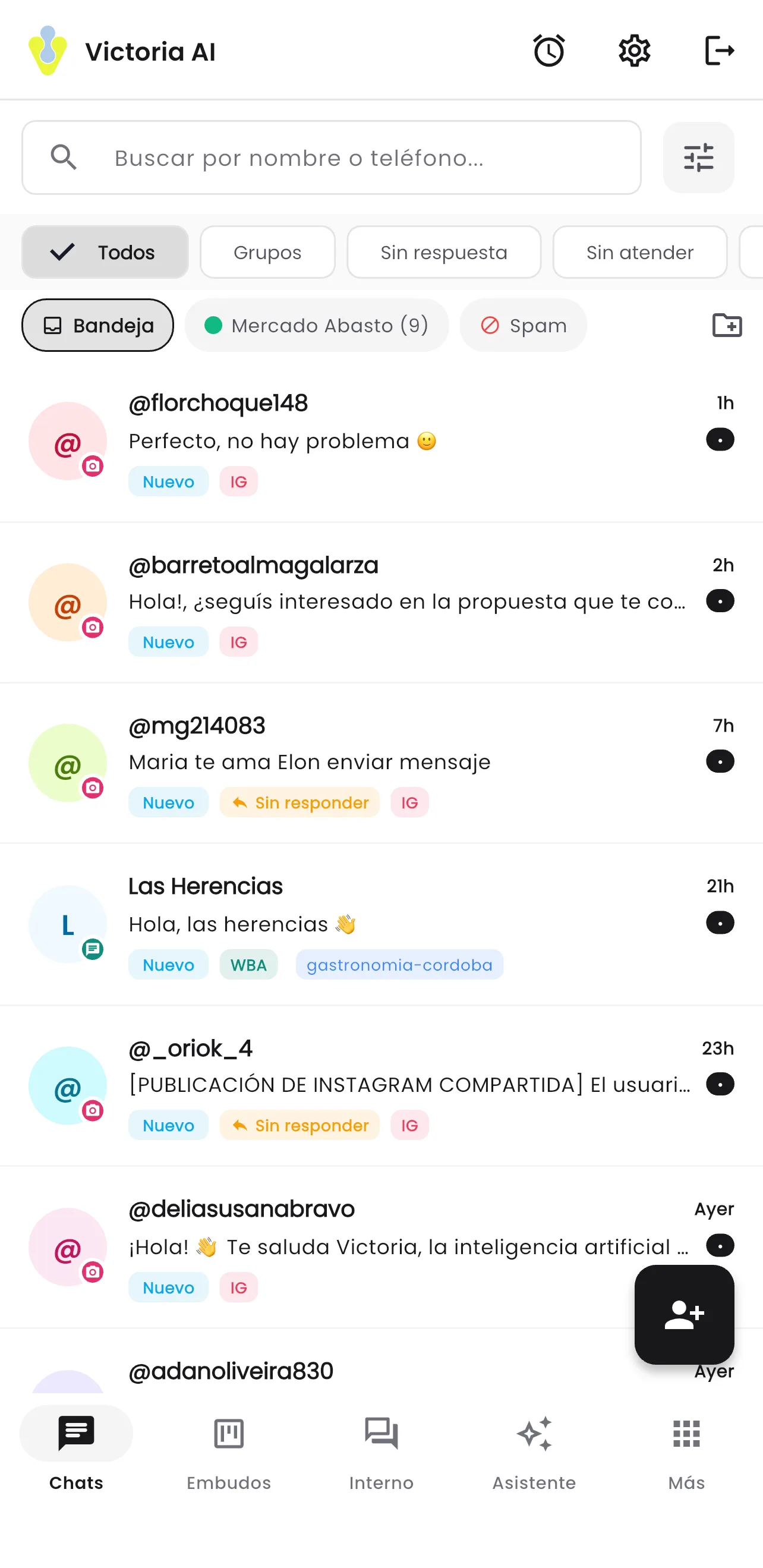
Built for the phone, not shrunk down.
Phone navigation is its own thing: list, conversation and panels move like a messaging app, not like a squeezed website.
The full inbox with the quick filters for unread and unanswered. Each row is a customer, with all their channels grouped together.
Desktop modals become full-screen panels. No form makes you zoom in.
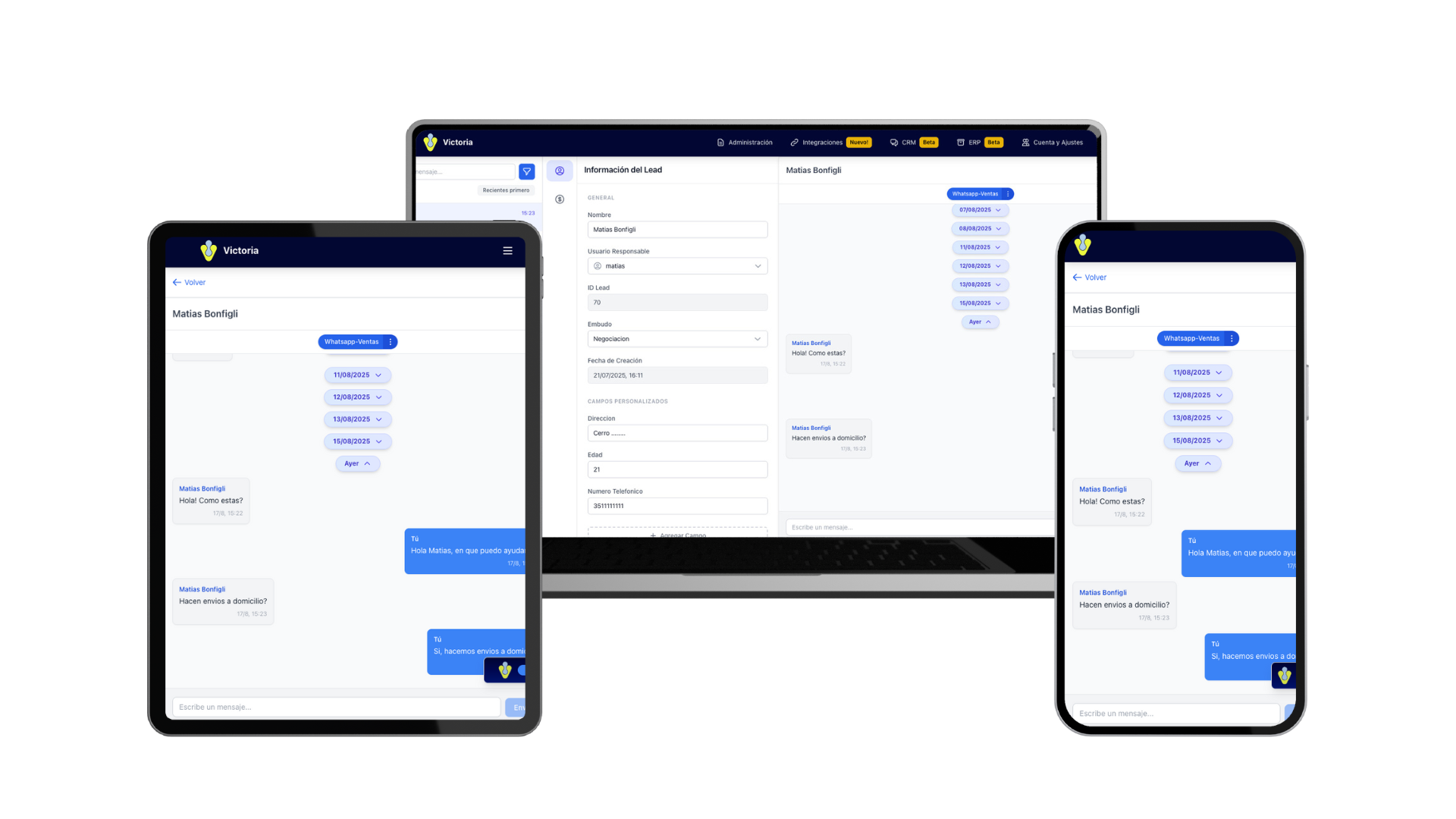
What the rep needs out on the road.
Four shortcuts from the conversation menu, without leaving the customer chat.
Lead details
Contact details, the fields specific to your business, tags and status, with the same permissions as on the desktop.
Quick quote
The quote is built from the chat, with the catalog and prices from the connected system, and sent without switching screens.
Reminders
Today's tasks, the pending ones and the overdue ones, linked to the lead and to the opportunity.
Opportunities
The amount, the stage and the deadline of the open deal with that customer, editable from the phone.
The lead reaches you in your pocket.
Push notifications to the phone
A new message, an assigned lead or a reminder coming due reach the phone, without depending on someone sitting in front of a computer.
Preferences per notification type
Each user picks what they want to receive and what they do not, and can test the setup before leaving it on.
Presence in sync
The connection status of a rep is the same from the desktop and from the phone. Automatic lead assignment distributes to whoever is really working, not to whoever left a tab open.
The same permissions, on any screen
Mobile access respects the role, the scope and the channel visibility set for that user. What they cannot see on the desktop, they cannot see on the phone either.
You log in with the same username and the same password as on the desktop. There is no separate database and no sync that can fall behind.
See Teams and permissionsThe same thing, on a big screen.
Try it from your own phone.
In the demo we open the CRM on your phone and work a lead end to end, the way your team would out on the road. 30 minutes.
Victoria CRM · Software built by Victoria AI · Córdoba, Argentina.