
Every channel, one thread per customer.
Each row of the inbox is a person, not a loose conversation. What they wrote to you on WhatsApp, Instagram and email sits on the same timeline.
- Official WhatsApp Business API
- TikTok
- Telegram
- Webchat
- WebConnect
- SMS
- Calls
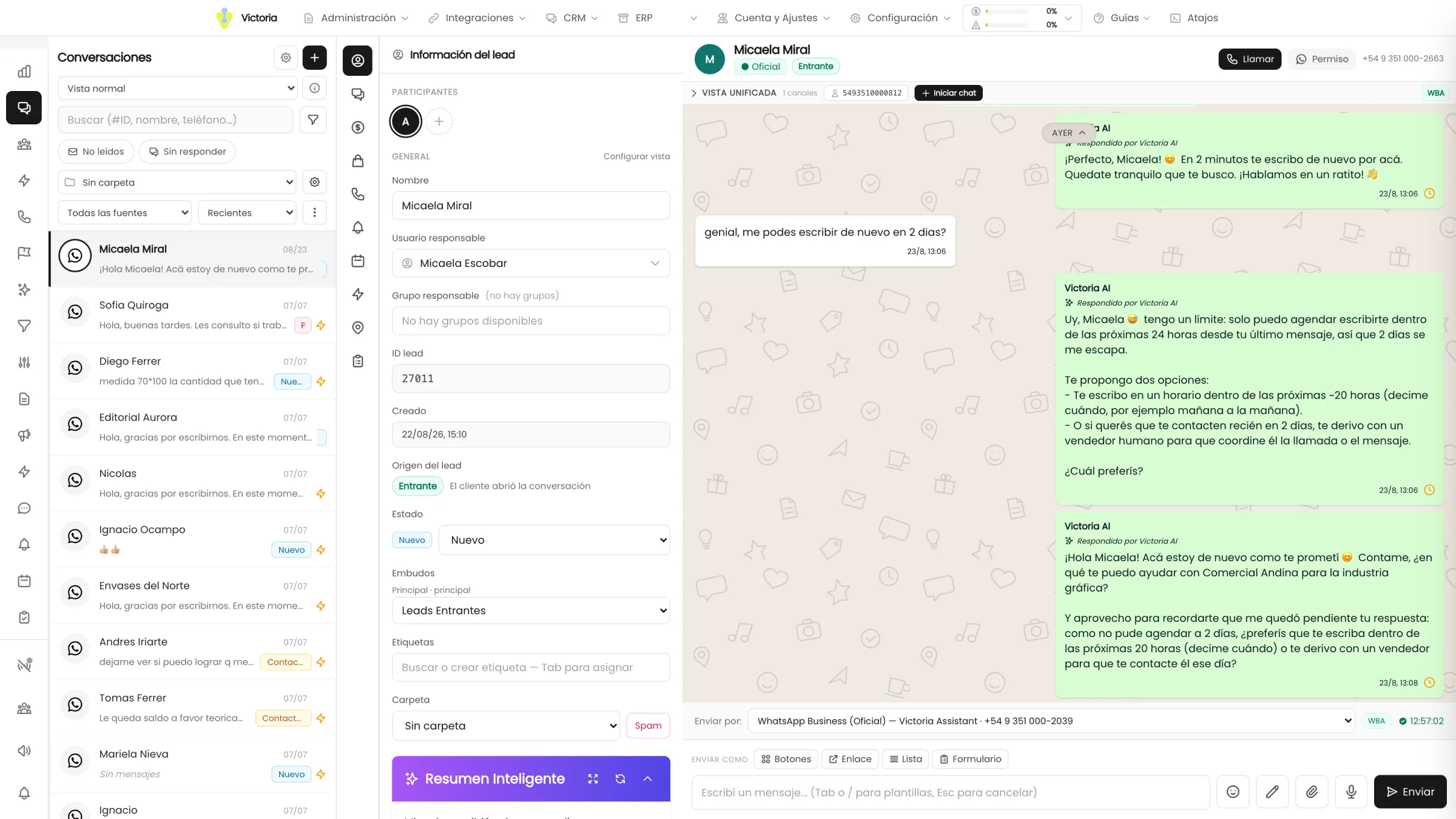
What an omnichannel CRM with AI agents is.
An omnichannel CRM with AI agents is a CRM where the messages from every channel the company uses —WhatsApp, Instagram, Facebook, TikTok, Telegram, the website chat, email, SMS and phone calls— land in a single inbox, are sorted into one thread per customer and are answered by an artificial-intelligence agent that also leaves the data saved in the CRM.
What sets it apart from an ordinary CRM is who does the writing. Here the conversation comes in, the agent replies with the prices and the stock your management system returns at that moment, and the customer record, the opportunity and the quote end up saved without anyone typing them in afterwards.
And what sets it apart from a multichannel chat tool is the unit of work: there is no inbox per channel, there is one row per person. If the same customer asked on Instagram, followed up on WhatsApp and confirmed by email, the team opens a single chat and sees a single story.
Many ways in, one single thread.
The message arrives through whichever channel the customer chose. From there on the route is always the same, no matter where it came in.
- Messaging
- Official WhatsApp Business API
- TikTok
- Telegram
- Your website
- Webchat
- WebConnect
- Email and SMS
- SMS
- Voice
- Calls
- The AI agent repliesIt answers through the same channel the message came in on, with your company rules, tone and catalogue. It can be switched on or off channel by channel.
- Victoria CRM records itThe lead, the record, the pipeline stage and the opportunity are saved there and then, with nobody writing them up afterwards.
- Your management system answersPrice, stock and availability are read from the ERP or the POS at the moment of replying, not from a list loaded last week.
- The action is doneThe quote issued, the appointment booked, the order registered. With a trail of what was done, when and in which system.
When the case needs a person, the agent hands it over to the right rep with the whole conversation loaded and the opportunity already open.
Three channels, one lead
The same customer asks on Instagram, follows up on WhatsApp and confirms by email. They are not three leads nor three loose conversations: it is one record with one story, and whoever opens that chat sees what happened before, wherever it happened.
The whole history, not the last message
Messages from every channel, internal notes with @mentions, calls with duration and summary, and the status changes: all on the same timeline, in order.
Whoever steps in, steps in with context
When the case moves to a person, the entire conversation and the opportunity are already open. Nobody asks again what the customer already told you.
And merging two records is the team’s call
The phone number is the lead’s identity, and an Instagram direct message does not carry one. When the system suspects they are the same person, it flags the duplicate: the merge is confirmed by someone, not guessed by the CRM.
"Who answered them, and where?"
There is only one customer. The attention is split across four apps, three phones and a mailbox that one single person looks at.
The daily work, in four screens.
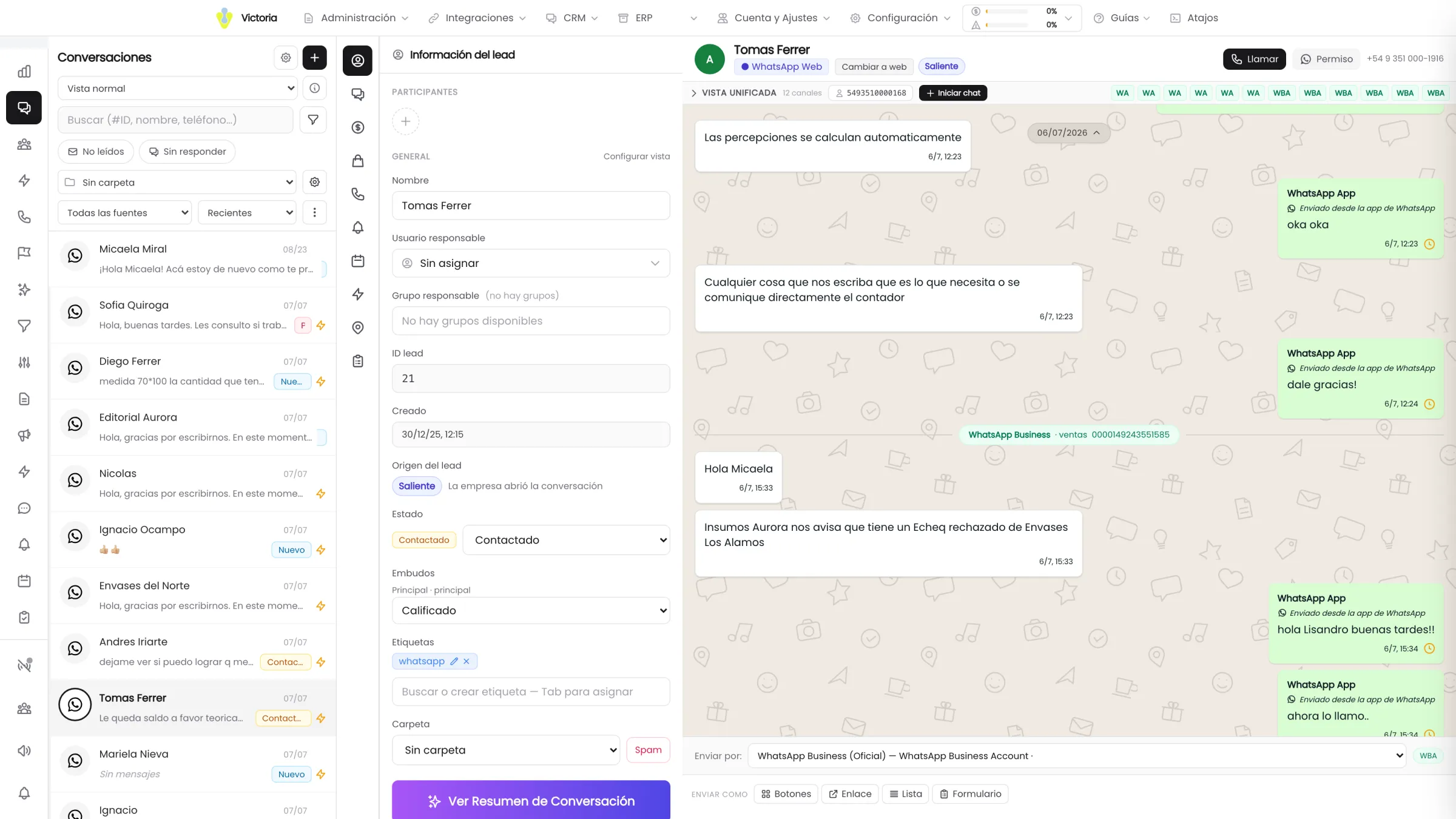
The messages from all the channels of the same customer, mixed in chronological order with separators. Configurable per role: a unified thread or separate tabs per channel.
- 9predefined work tabs
- 6advanced filter sections
- 3base views, plus the ones you build
Search finds by name, phone, legal name, CUIT, product or exact lead ID.
The composer does half the work.
Whoever is answering should not have to fight the tool while the customer waits on the other side.
Attachments without friction
You drag the file in or paste it from the clipboard. Images are compressed automatically and voice notes are recorded with a timer.
Templates in two keystrokes
They are called up by typing / or + and they resolve their variables against the real data of that lead.
Inline autocomplete
The phrase is suggested in grey as you type and accepted with Tab.
WhatsApp interactive messaging
Up to 3 quick reply buttons, a button with a link, lists of up to 10 options and sending products from the Meta Commerce catalog.
Location and saved addresses
An interactive map, address search, "use my current location" and reusable addresses, private or shared with the whole company.
Suggest a reply with AI
It writes the draft and leaves it in the text box. It does not send it: the person sends it.

Attachment limits: image 8 MB, video 32 MB, audio 16 MB, document 20 MB. Voice notes of up to 5 minutes.
It is not a chat. It is the customer case file.
Messages, status changes, internal notes, calls and visits on the same timeline, in order.
- Came from an adCampaign "Bathroom fixtures — Winter"Ad "Faucets 20% OFF"See ad
- Hi, I saw the ad. Do you have the single-lever kitchen faucet?WhatsApp14:31
- Yes, we have it. I am sending you the price and availability right now.Lucía Ferrer14:32
- Delivered · 14:32Read · 14:33
- Internal note from Lucía Ferrer
@Martín Ruiz this customer already bought in March, they go on the wholesale price list.
- Outbound call · 3 min 12 sWith summary and transcript
- 24-hour window open21 h 48 min left
You know where it came from
When the chat starts from a Meta ad, the campaign, the creative and the headline stay inside the first message, with a link to the original ad.
Real delivery statuses
Sending, accepted, delivered, read, failed with the error explained in plain language, unconfirmed and expired. They never go backwards and they resync on reconnect.
The coordination stays inside
Internal notes with an @user mention, linked to the quote or to the opportunity. And the calls, with duration, summary and transcript, on the same line.
While two people look at the same chat, the inbox shows live who is viewing it and who is typing.
What gets checked in the first demo.
The 24-hour window checked every 30 seconds
The status is queried every 30 seconds and refreshes instantly as soon as a message from the customer comes in.
The right line, recalculated every 60 seconds
The system recommends whether to write from the official line or the follow-up one, with the reason explained, and offers to switch with one click.
Statuses never go backwards
A read message does not go back to "delivered" because of a connection problem: it resyncs on reconnect.
Editing with a history
Messages can be edited up to 15 minutes later, on the channels that allow it, and the edit history is kept.
Loading in parts
The inbox brings 20 leads per page with infinite scroll, and the message history, 30 per page.
A warning before the block
If you get close to the cap on messages outside the window, an amber banner appears; if it gets blocked, a red one, per user, per number and globally.
The module that comes next.
We show you the inbox with your channels.
We connect a test number during the demo and you see a real WhatsApp message land in the customer thread.
Official WhatsApp Business API · Victoria AI is a Meta Tech Provider.