
A customer base that stays clean.
You import from your current CRM with your own fields, the system detects the duplicates and dormant leads come back into circulation on their own.
Import from Excel · 9 custom field types · 11 bulk actions
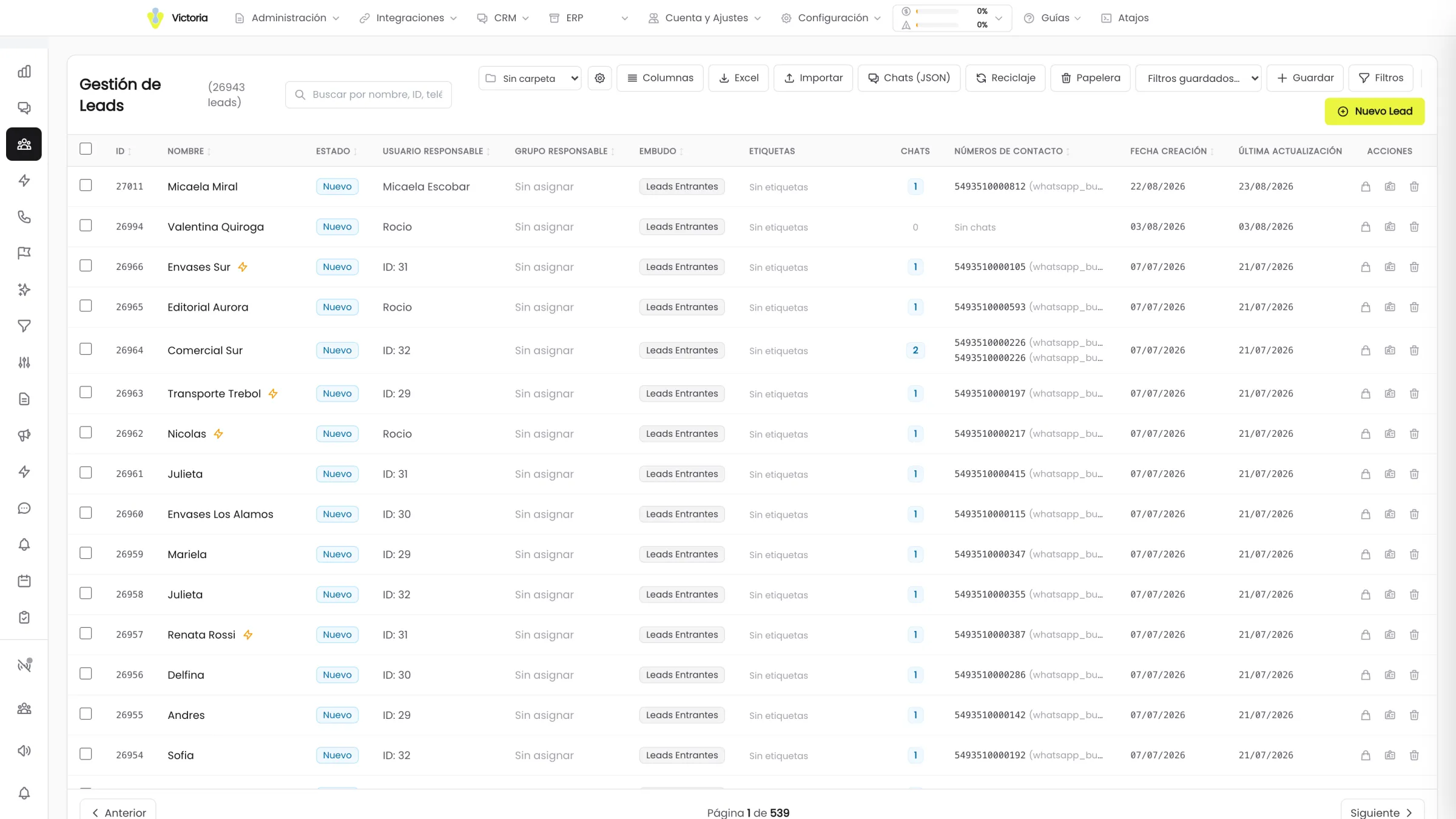
The base is the asset. And it is broken.
Three records for the same customer, fields only the person who filled them in understands, and a thousand leads nobody has touched in a year.
The grid does the heavy lifting.
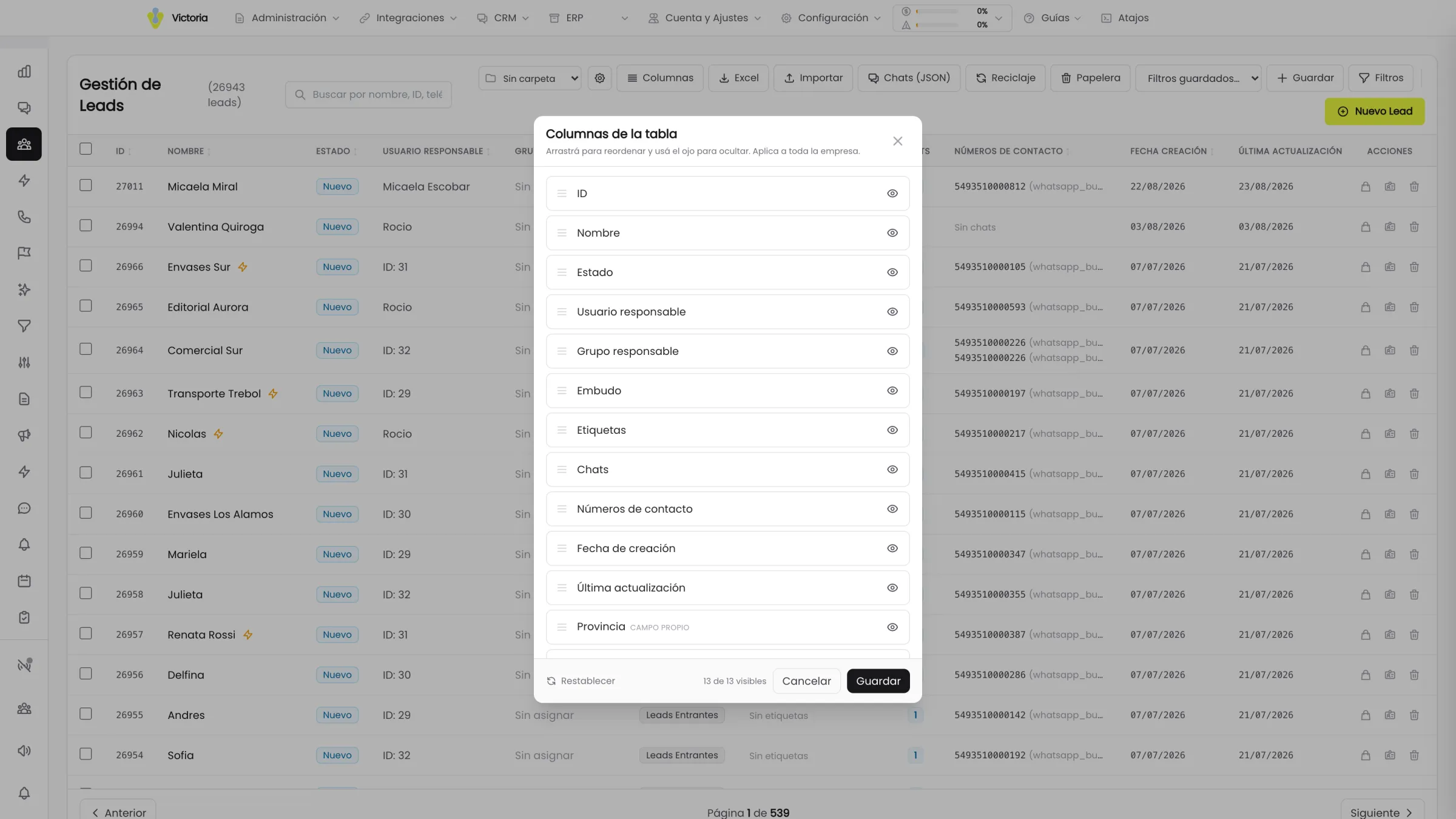
On top of the base columns, the grid adds one column for every custom field present in the leads on that page. The table adapts to your business, not the other way round.
- 11bulk actions
- 9custom field types
- 50records per page
The search box unifies name, ID, phone, CUIT and products. Export to Excel respects the applied filters or downloads the whole base.
From your current CRM to Victoria, in five steps.
The wizard recognises the fields specific to your business and creates them. There is no rebuilding the base by hand.
- 01
You upload the file
You export from your current CRM to Excel and load it. The preview accepts up to 5.000 rows.
- 02
The columns get mapped
The wizard detects by pattern which standard field each column corresponds to. Whatever matches none of them, it proposes as a new custom field.
- 03
The phone numbers get validated
The preview shows each number normalised and flags the ones that would end up out of format, before importing.
- 04
You pick the sending number
You define which WhatsApp number those leads will be tied to for the follow-up afterwards.
- 05
You import and review the report
The report shows created, updated and errors, with the detail of up to 10 failed rows and the reason for each one.
- Legal nameNameStandard field
- MobilePhoneStandard field
- CUITCUITStandard field
- Delivery zoneDelivery zoneNew custom field
- VAT statusVAT statusNew custom field
Step 02: the two columns that do not exist in Victoria are proposed as a new custom field, with the name you already used.
Designed to migrate from another CRM: the fields that do not exist in Victoria are created with the name you already used.
Cleaning the base stops being a project.
Order does not depend on somebody finding a free moment. It lives in the system rules.
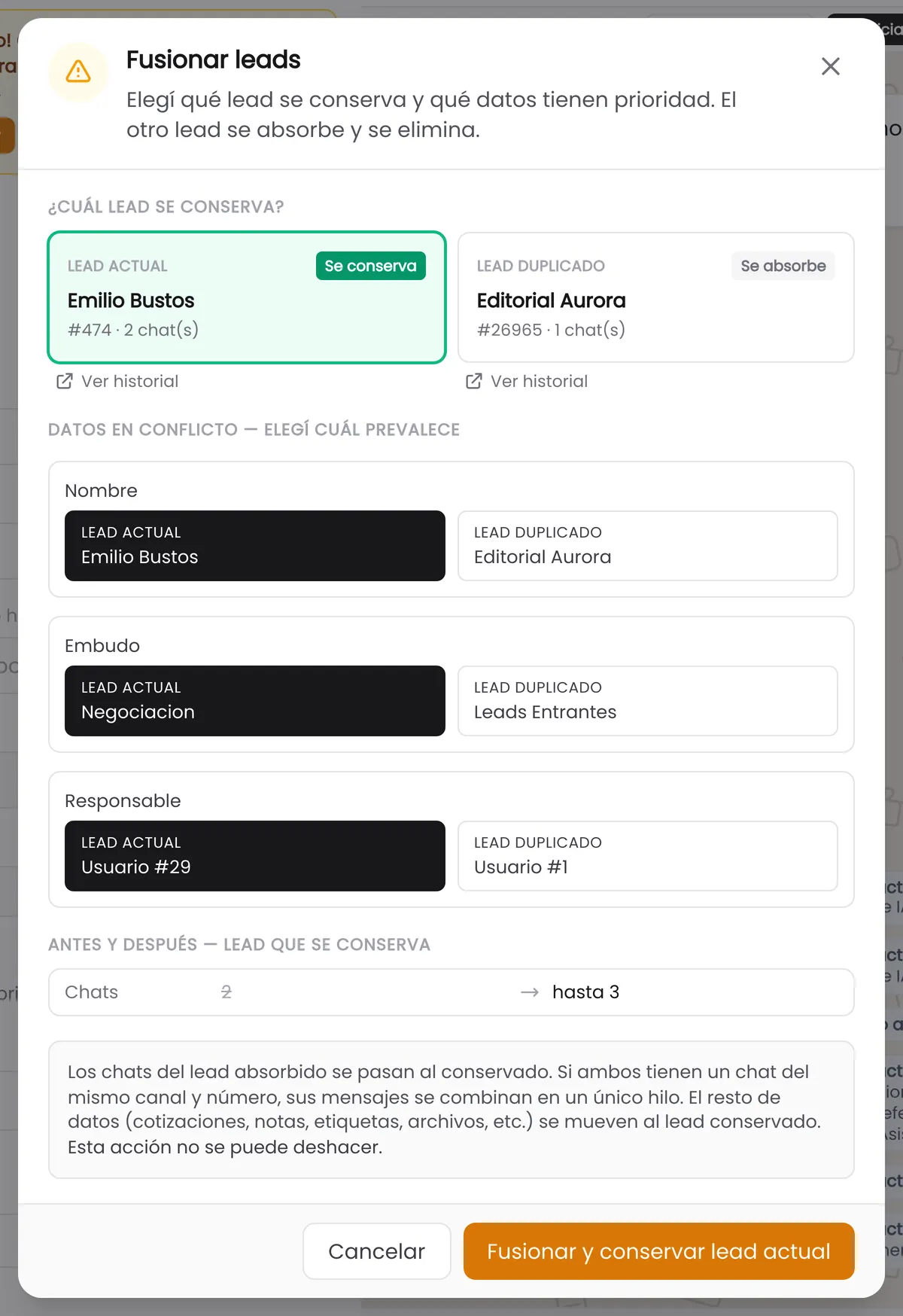
What gets checked in the first demo.
90 days by default for recycling
The term is configurable and leads in the "Won" status are explicitly excluded from recycling.
Phone numbers normalised live
Type 3513341366 and the system proposes +5493513341366, detecting the country before saving.
Nobody overwrites what someone else did
If another user modified the lead while you were editing it, the system warns you instead of overwriting the data.
No duplicates when entering by hand
If the phone number you are entering already exists, you are added as a participant on the existing lead instead of creating a new record.
Deleting a field is warned in red
Deleting a custom field wipes every value stored in it and cannot be undone. If you deactivate it instead of deleting it, the data is kept and comes back when you reactivate it.
Import with a row-by-row report
Created, updated and errors, with the detail of up to 10 failed rows and their reason.
The module that comes next.
Bring an Excel of your base to the demo.
We import it live, we see which of your own fields the wizard detects and how many duplicates it finds in your real base.
We migrate from any CRM that exports to Excel.