
The funnel moves without anyone pushing it.
The lead enters the stage that matches how it arrived, and the AI proposes the next move with an amount and a quote. Your team approves.
Several funnels in parallel · Opportunities with their own owner · Approval configurable per action
The pipeline shows what people remember, not what happened.
Stages move when someone remembers, opportunities expire in silence and the Monday meeting is argued against an out-of-date board.
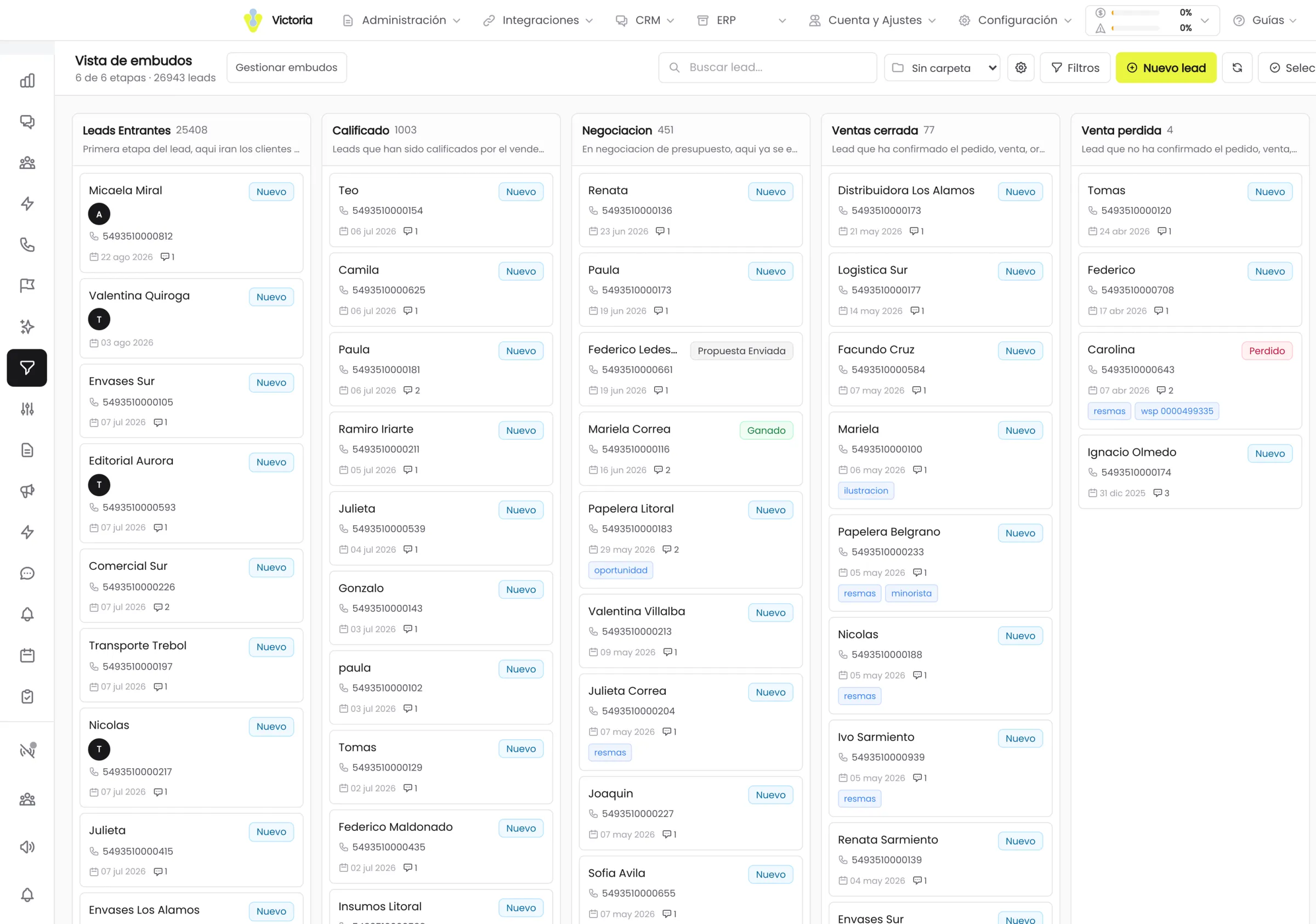
From the board to the detail without changing screen.
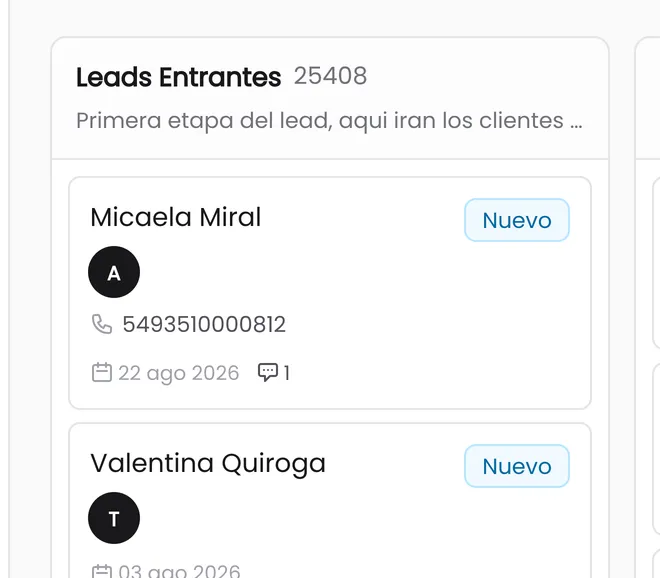
You drag the card between stages and reorder the stages by dragging the column. Each stage has its colour and you choose what the card shows: avatar, participants, phone, email, date, chats, status and tags.
- 25leads per column with infinite scroll
- 5opportunity filter sections
- 7date fields to filter by
Status cards with a count and an amount: All, In negotiation, Won, Lost and Drafts. The filters add search by product and "due soon" at 3, 7, 15 or 30 days.
One process per business unit.
The same customer can be buying in one funnel and complaining in another. That is two processes, not two records.
Several funnels in parallel
Sales, After-sales, Instagram: each with its own stages and its own criteria for moving forward.
One lead in several funnels
With its own stage in each one. There is no need to choose where the customer lives.
Stage type
Each stage is declared as In progress, Won or Lost. The conversion reports read that type, not the name you gave the column.
Automatic routing by source
You define which funnel and which stage a new lead enters, according to the WhatsApp number, the form, the web widget or the connection it arrived through.
Bulk selection from the board
You select every lead in a column, including the ones not yet loaded on screen, and apply the same bulk actions as in the grid.
Reminders and alerts
Follow-up reminders linked to the opportunity, with an alert one day before the due date and additional alerts you configure yourself.
The AI proposes, your team decides.
When the AI wants to create, modify, close or delete an opportunity, it does not apply it: it leaves it as a pending proposal.
- 01
The AI proposes
It detects the intent in the conversation and builds the opportunity with amount, currency, products and stage, plus the quote where relevant.
- 02
It stays as a draft
The proposal goes into a persistent pending tray, with a counter. It does not touch the funnel until somebody looks at it.
- 03
Your team reviews and edits
The proposal is corrected before approving it, including the quote line by line: product with catalog autocomplete, quantity, net price, discount in percent or in pesos and VAT per line.
- 04
It is approved or rejected
One at a time or in bulk. Whatever is approved lands on the funnel and stays in the opportunity history, with author and date.
Rule per action
You choose what requires confirmation and what is applied on its own: create, modify, change status or delete.
Rule per schedule
An exception per time window and days of the week: for example, apply directly during opening hours and ask for confirmation outside them.
Owner rule
If the lead has no owner, you define whether confirmation is requested, whether it is assigned by round-robin and asked of the assignee, or whether it is applied directly.
If two people approve the same proposal at the same time, the system resolves the conflict without duplicating the opportunity.
See how automations are builtThe funnel numbers hold up.
Nothing is won without an amount
Marking an opportunity as won requires entering the price. Projected revenue is never left half done.
Nothing is lost without a reason
Closing an opportunity as lost forces you to pick a reason from the catalog, with separate lists for lead and for opportunity.
Deleting is an explicit decision
When you delete an opportunity that has a quote, the system asks whether the quote is deleted too.
Expiry with caps
30 days by default, a maximum cap of 90 and an "about to be lost" notice 3 days before the due date. All three values are configurable per company.
Deleting a funnel does not delete leads
The stages are left without a funnel until you reassign them, and the leads stay intact.
You can see who did it
The "Created by" and "Closed by" filters include the "AI Agent" option, which separates what the team did from what the automation did.
Creating, updating, changing the status of and deleting opportunities is reflected live on every open screen. A direct link opens one specific opportunity from a notification.
The module that comes next.
We build your funnel in the demo.
You bring your real stages and together we define what the AI proposes, what requires approval and what is applied on its own.
Every sensitive action is configured separately. Everything is logged.