
After-sales that resolves, not just replies.
The agent takes the complaint, looks the order up in your system, carries out the fix, records the case and hands off with the full context when that is needed.
It works for any company with an after-sales function. We use it in ours.
The complaint arrives fast. The answer does not.
After-sales always breaks in the same place: between the channel the case came in on and the system where the information lives.
Complaints, questions and requests from the everyday.
It handles any case it has access to the information and the tool for. The scope is not set by the technology: it is set by you.
Product and delivery complaints
Incomplete order, damaged product, missing item or delivery past the agreed date.
Questions about use
It sends the user guide, the spec sheet or the instruction sheet for the right product.
Order and shipping status
It looks the order up in your system and answers with the real status, not an estimate.
Exchanges and returns
It takes the request, checks it against the terms of your policy and sets the operation up.
Changes and cancellations
It changes quantities, delivery details or shipping method. It cancels when that applies.
Administrative queries
Documents, billing details and the status of an operation that is already closed.
A real complaint, resolved in the same conversation.
Every lime card is an action the agent carried out inside the company's system. It is not a reply: it is work done.
- Hi, yesterday's order arrived but only 2 boxes came instead of 3. One is missing.
- Hi Paula. I am checking now. Can you confirm this is the order under Distribuidora del Centro?Victoria
- Yes, that one.
- Order #4821 looked up in the ERP3 units invoiced · 2 shipped
- Confirmed: 2 of the 3 units were shipped. I am creating the reshipment for the missing one right now.Victoria
- Reshipment #7712 created in the ERP1 unit · at no charge
- Shipping arrangedPickup tomorrow · estimated delivery in 48 h
- Done. The missing unit goes out tomorrow and arrives within 48 hours. I will leave the tracking here once it ships.Victoria
- Perfect, thank you.
- Case #2210 recorded in Victoria CRMReason: delivery shortage · Resolved without handoff
- Order #4821 looked up in the ERPWaiting
- Reshipment #7712 created in the ERPWaiting
- Shipping arrangedWaiting
- Case #2210 recorded in Victoria CRMWaiting
The actions you see are the ones the company enabled. Without that tool, the agent informs and hands off.
What it can do depends on the tools you give it.
The agent carries out every action you enable inside your system. There is no closed list of functions.
It changes orders
It changes quantities, products, delivery details and shipping method.
It cancels orders
With the terms and the checks you define.
It arranges shipping
It creates the reshipment, books the pickup and shares the tracking.
It delivers documentation
User guides, instruction sheets, spec sheets and receipts.
It handles exchanges and returns
It sets the operation up and leaves it loaded for its normal circuit.
Whatever action is missing
If your system can do it, the agent can carry it out.
The limit is not the agent: it is the tool available. The next block explains how that tool gets built.
The agent needs to be able to talk to your system.
That connection is called a connector: it is what lets the agent look information up and carry out actions inside the software you already use.
Your systems team
If you have in-house development, your team builds it with our documentation and our technical support.
The vendor of your system
If you work with a third-party ERP, the vendor develops it on the MCP standard.
Victoria AI
We develop it, within the onboarding fee. It is the option most companies choose.
If something can talk to your system, the connector can be built.
- TikTok
- Telegram
- Webchat
- Calls
The agent works across every channel you have connected, with one thread per customer.
See how we integrate your systemsSaying where the agent ends is part of the product.
The scope is defined by your company: what it resolves on its own, what needs approval and at what point it moves to a person.
- 01
It resolves within scope
It carries out the enabled actions and closes the case with no human involvement when it can.
- 02
It knows where the edge is
The escalation rules are defined by you: by type of case, by amount, by customer or by detected sentiment.
- 03
It writes the summary
Before handing off it prepares the summary of the case: what the customer asked for, what it looked up, what it carried out and what is left.
Case summary- Case #2210 · Paula Ríos · WhatsApp
- Reason: delivery shortage on order #4821
- Executed: order lookup · reshipment #7712 · shipping arranged
- Pending: confirm delivery at 48 h
- Sentiment: neutral
- 04
It hands off with context
Whoever picks it up opens a case that is already written. The customer repeats nothing.
Every case leaves a trail in Victoria CRM.
The agent does not only resolve: it writes. The case stays, the full conversation stays, and so does the mood the customer wrote in.
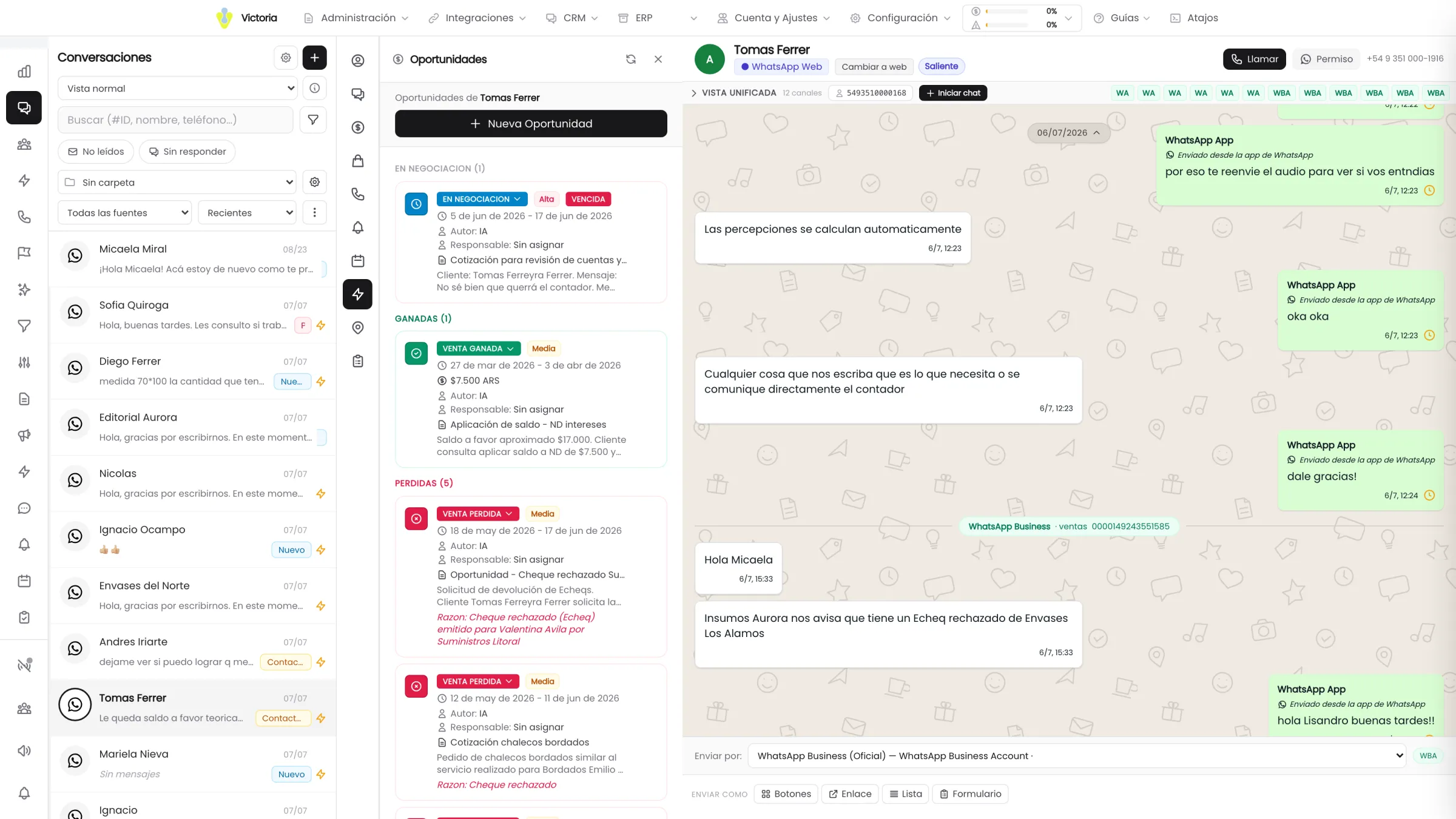
Reason, entry channel, actions carried out, outcome and owner. All written by the agent, with no manual entry.
One thread per customer
every channel in the same conversation, with no duplicates.
Action auditing
what was carried out, when and with what outcome is on the record.
Data isolated per company
your cases are not shared and are not used to train external models.
Continue over here.
Tell us which complaints eat up your day.
In 30 minutes we go over your most frequent cases and define what the agent can resolve on its own and what is better left with your team.
Implementation in 1 to 3 weeks · No change to the system you already use.