
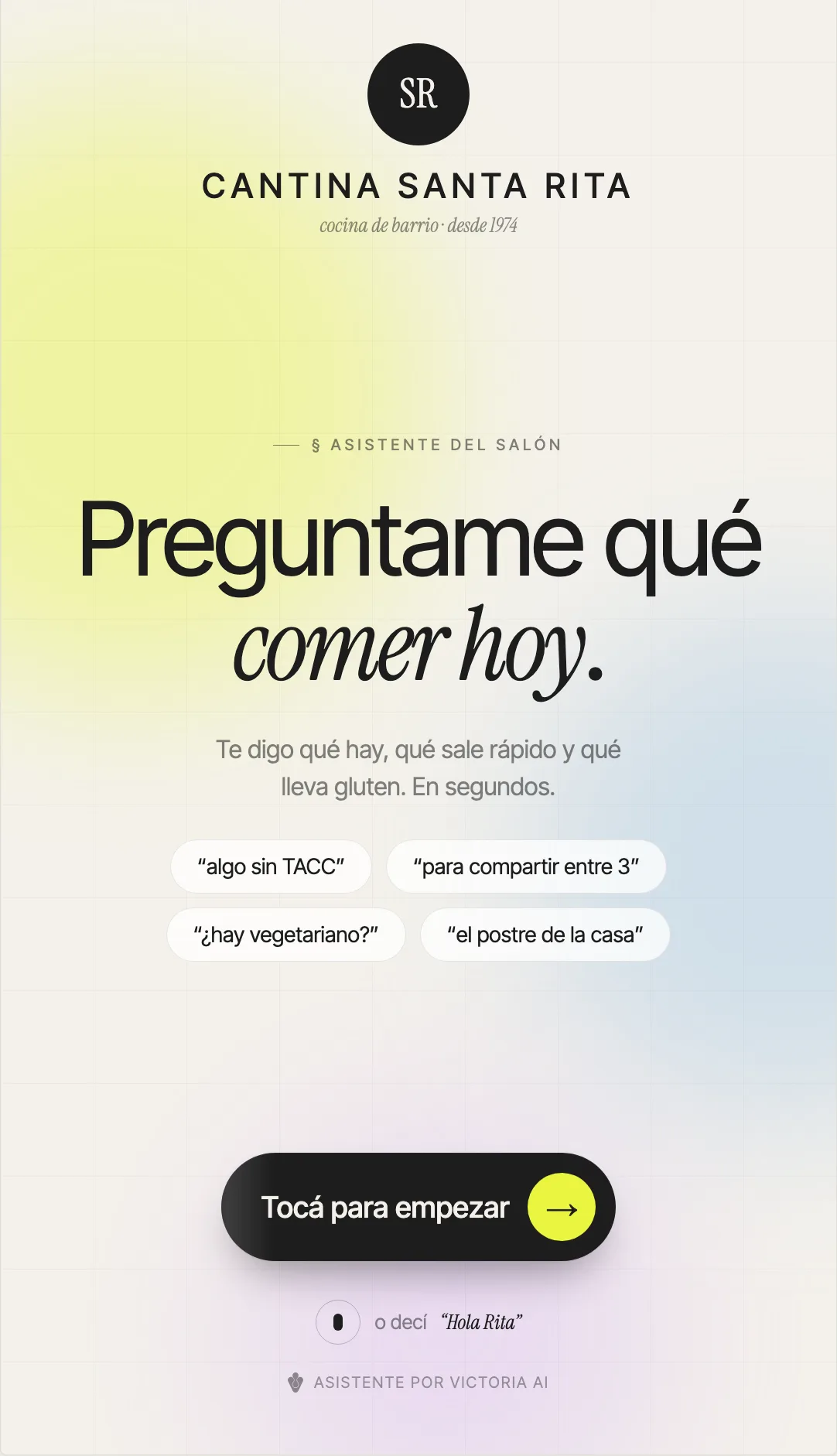
Customers ask right in the store, without waiting for anyone.
A screen on the floor, at the counter or by the shelves where customers ask by text or by voice and get products with a photo, price and dietary labels. No app, no queue.
It is built on your store's catalog, and the interface takes on its logo, its colors and its typeface.
The questions all arrive at once, and always at peak hours.
None of these questions is hard. The problem is when they arrive: exactly when there is nobody free to answer them.
The same questions, all day long
"Do you have anything gluten-free?", "which one is vegan?", "where are the snacks?". The team answers the same thing dozens of times per shift.
Whoever is serving is busy
Every basic question pulls someone away from the register or the shelves. The customer waits, asks less than they wanted to, or leaves.
Restrictions that have to be known by heart
Gluten-free, vegan, sugar-free, low-sodium, keto. Filtering the menu or the catalog by hand depends on who is on the floor that day.
What is not available today
The customer asks for something that ran out. If whoever is serving does not have it in mind at that moment, the recommendation falls apart on its own.
This is what stores tell us when they ask about this. It is not a measurement of ours.
Customers type the way they speak and get products back, not a search engine.
There are no categories to browse and no commands to learn. The customer types something like "something gluten-free for two" in everyday Spanish and the answer comes back with a photo, a price, a dietary label and how long it takes.
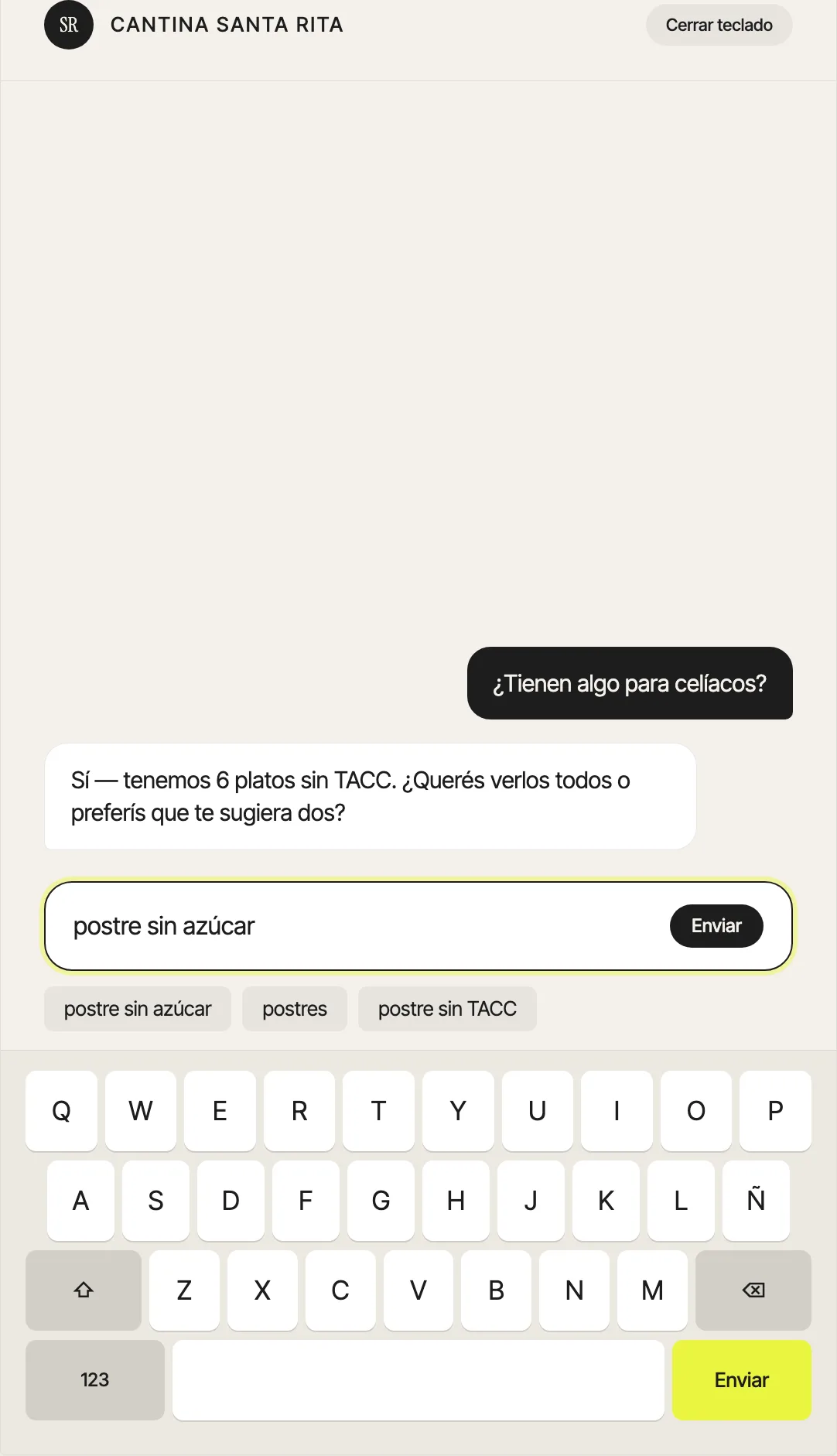
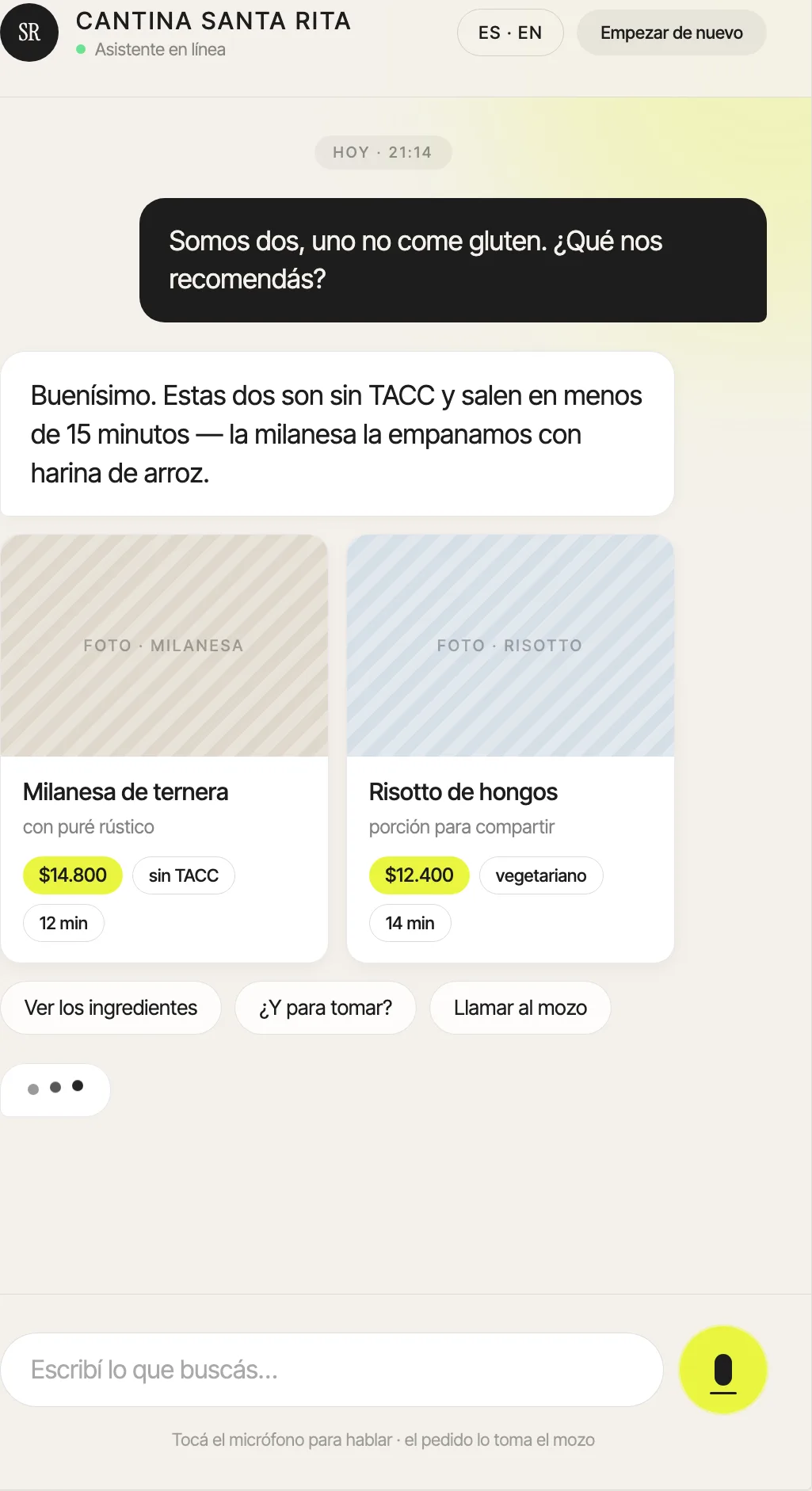
- Suggestions while typing — the keyboard proposes the store's most common queries, so someone who does not know what to ask still gets started
- It follows the conversation — ask for more options, filter by price, compare two products or go back without starting over
- Dietary labels from the catalog — gluten-free (sin TACC), vegan, sugar-free, low-sodium and keto come from the product record, not from a guess by the model
- It says what is not available — products marked out of stock that day are left out of the recommendation instead of being offered anyway
The order is taken by someone from the store: the agent recommends and informs, it does not close the sale.
Alongside, it builds what might suit them.
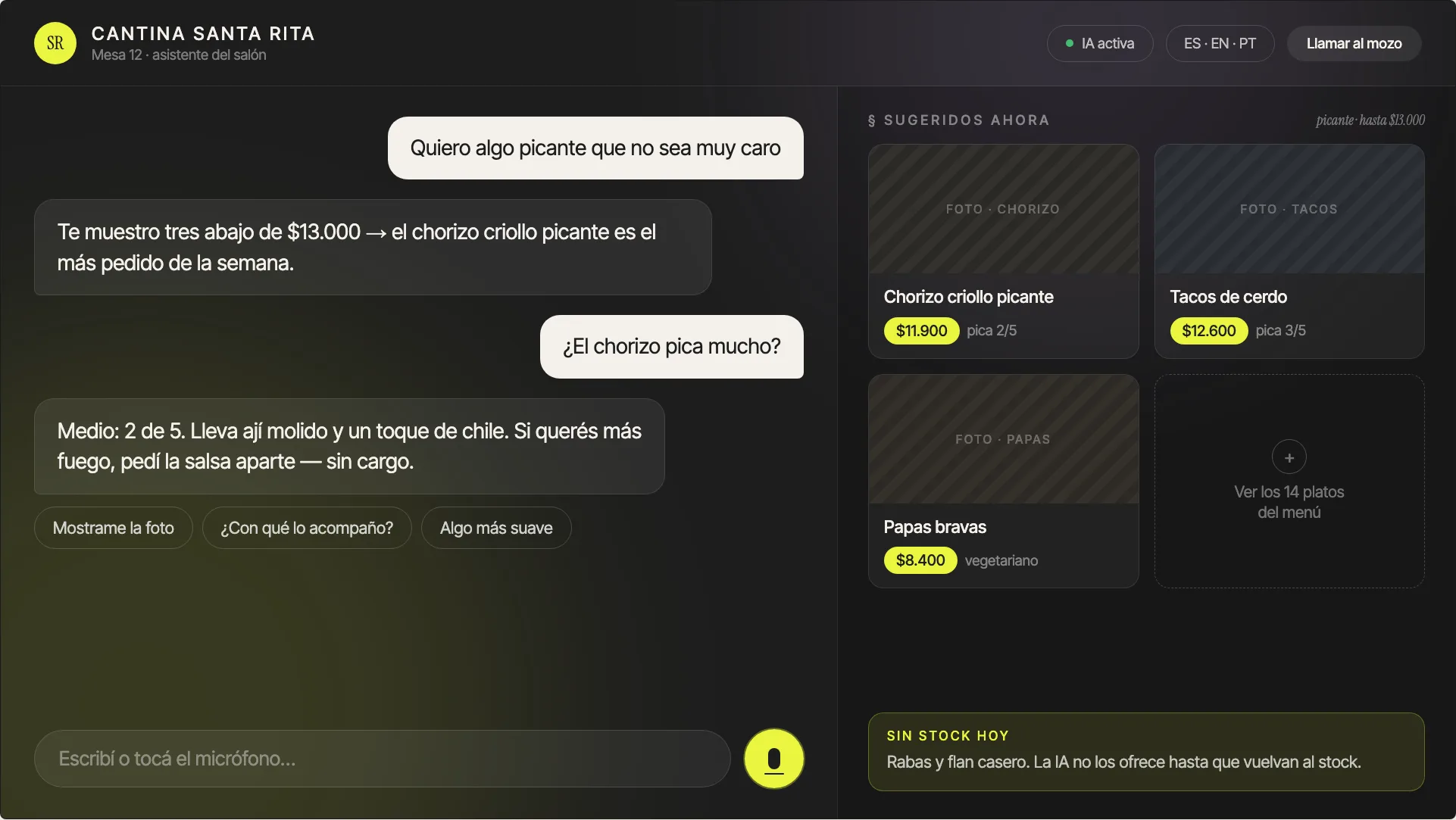
On landscape screens the conversation takes the left side and on the right a suggestions panel is rebuilt with every answer: spicy, under a certain price, vegetarian. The customer sees the recommendation and the catalog at the same time.
- Suggestions are rebuilt from the last thing asked, not from a fixed list
- The notice of what is unavailable that day lives in the same panel, always in view
- Availability by location, when the store has more than one point
Every detail without leaving the conversation.
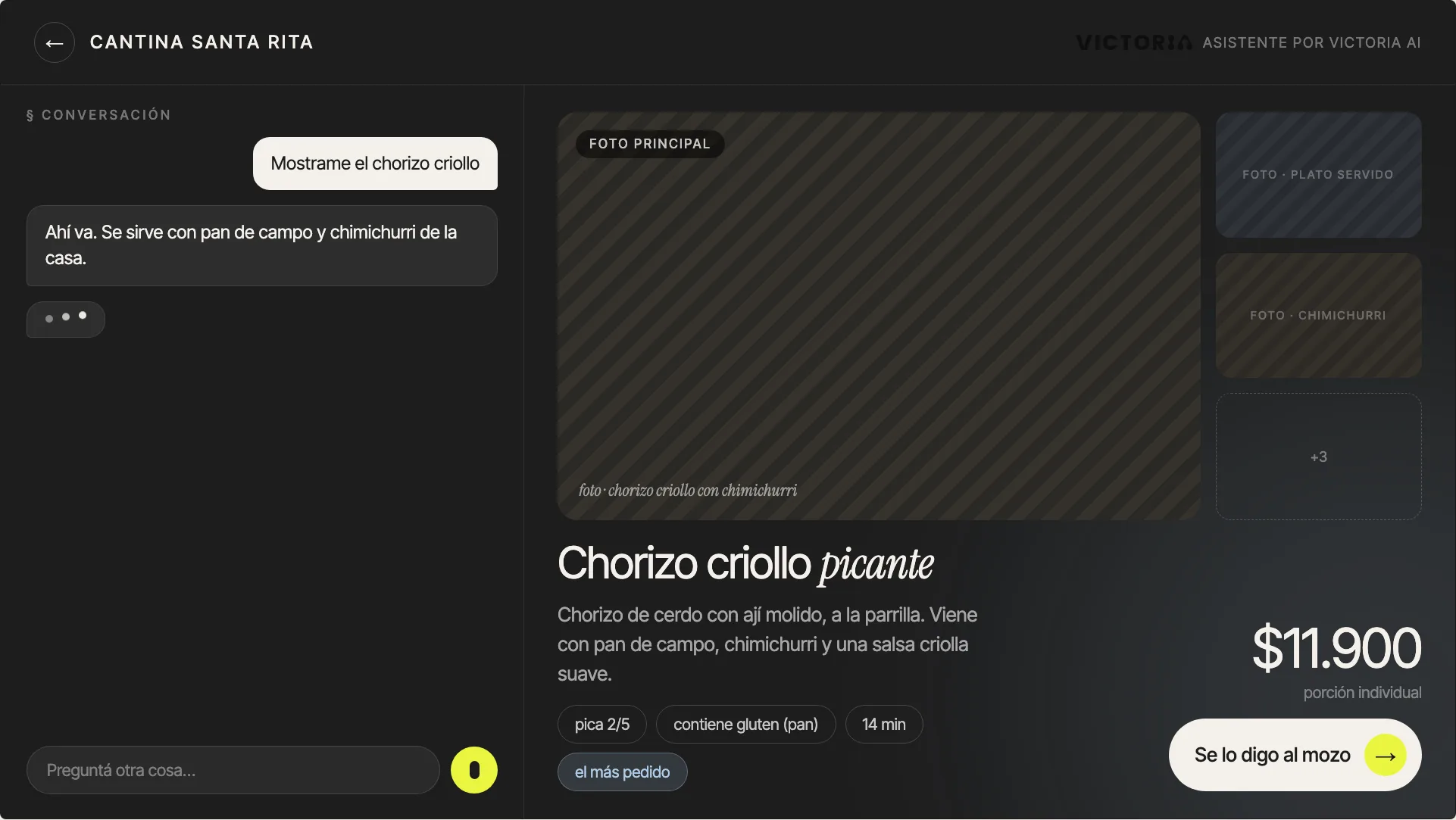
Touching a product opens it up large: photos, the full description, attributes and price, with the conversation still open alongside. You go back without losing what had already been asked.
- The main photo plus the secondary photos of the product
- Attributes exactly as they are loaded: spicy, contains gluten, preparation time
- The price, with whatever unit or portion applies
The same interface adapts to a vertical kiosk screen and to a landscape screen on the floor. It is the same conversation, not two different products.
Customers speak and see the answer at the same time.
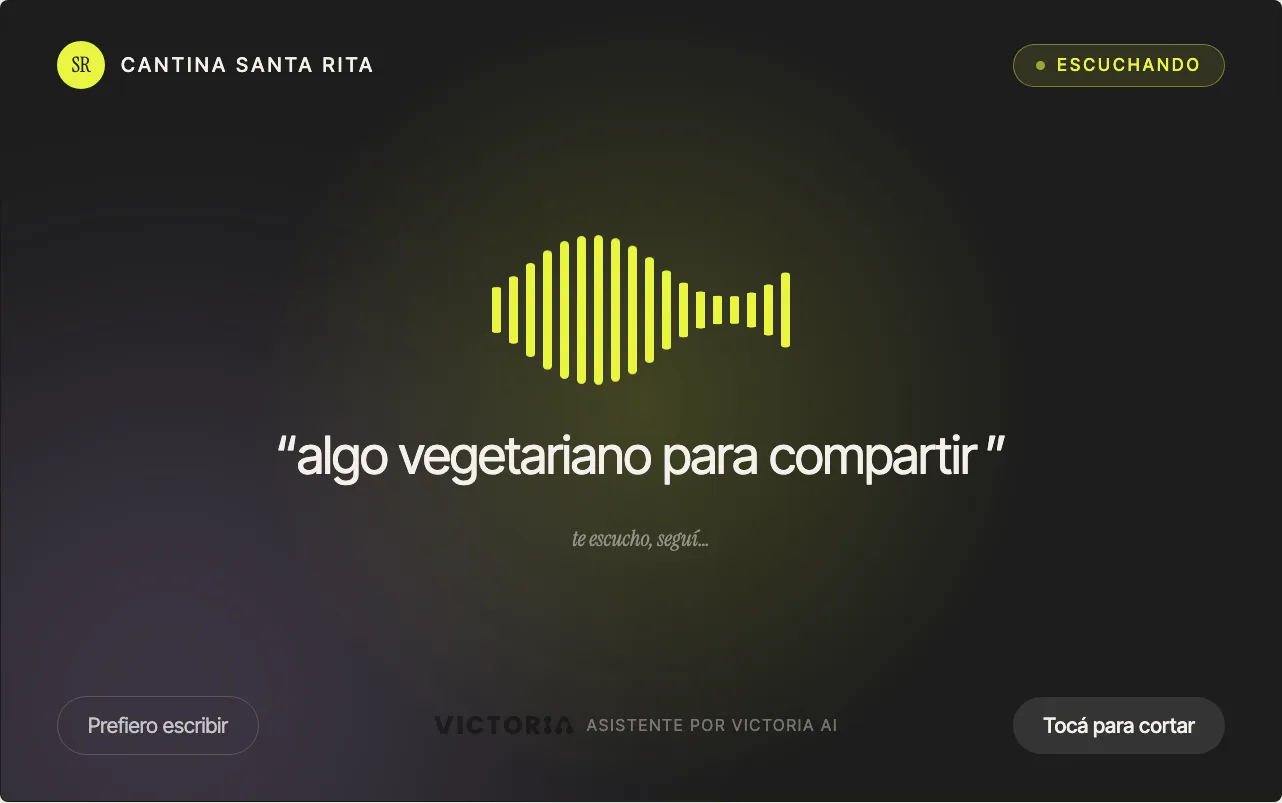
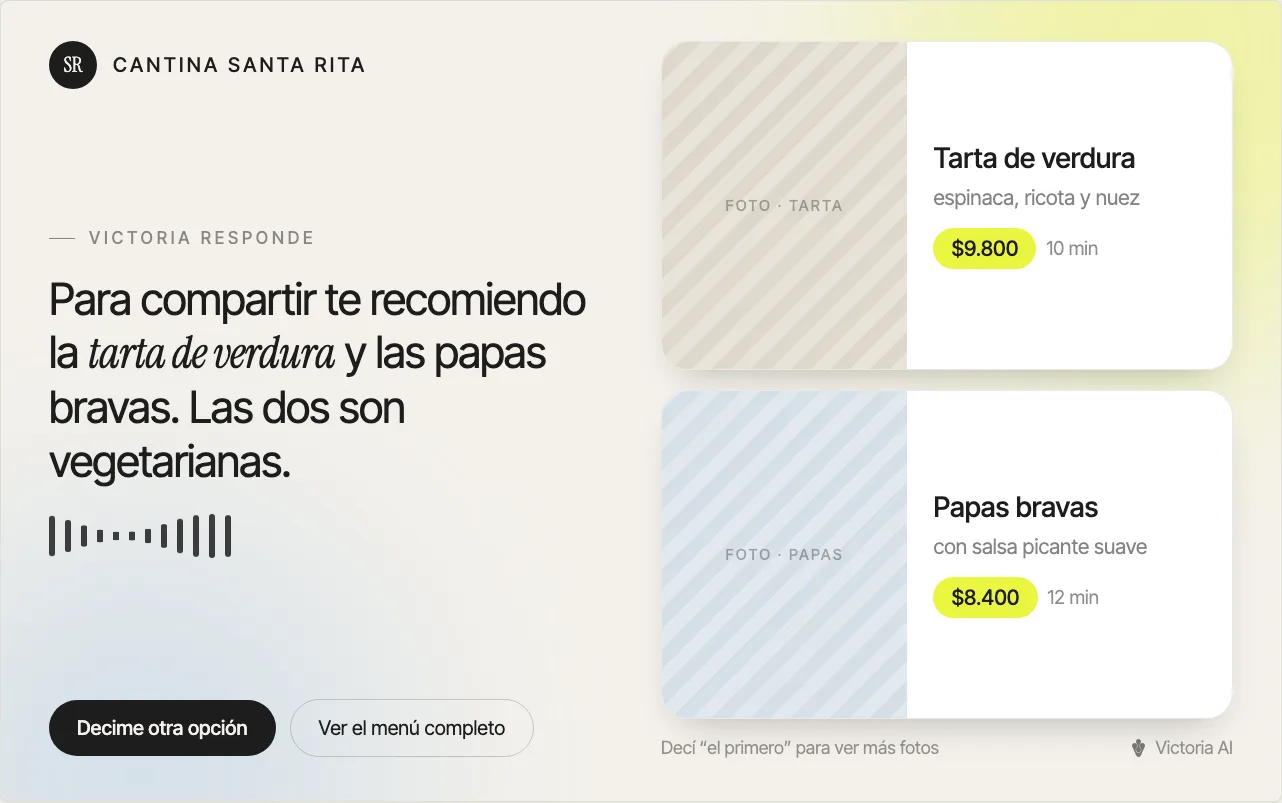
Speech recognition in Spanish, with no commands and no odd wording. While the agent answers out loud, the product cards appear on screen: nobody has to sit through a spoken list.
You see what it understood
the query is transcribed on screen while the customer speaks, so they correct it before the agent answers
Audio and screen together
the spoken answer comes with the product cards showing photo, price and time
You can always type
voice mode stops with one touch and the conversation carries on typed, without going back to the start
It works for the customer with their hands full, for the one who would rather talk and for the one who does not want to touch the screen. Typing is still one touch away.
What it does and what it does not do.
The in-store agent handles everything that happens before the customer decides. What comes after stays where it is today, and we would rather write that down here.
What the agent handles
Answering, recommending and showing. Everything that happens before the customer decides.
- Availability — what is in each location and what is unavailable that day
- Recommendation — based on what the customer asks for, with their restrictions
- Photos, prices and descriptions — from the loaded catalog
- Filters by attribute — gluten-free, vegan, sugar-free, low-sodium, keto
- Text and voice in Spanish — on the same screen
What it does not do in the store
None of this goes through the screen on the floor: it stays where it is today, or it lives in another Victoria solution.
- Closing sales or taking orders — the order is taken by a person
- Processing payments — payment stays where it is today
- Integration with the management system, POS or ERP — the store's catalog is loaded and maintained separately
- CRM and customer management — a query on the kiosk does not create a lead
- Digital channel — WhatsApp, social media and e-commerce are another solution
Several of the ones on the right Victoria already does elsewhere: the digital channel, the CRM and the integration with the management system. The platform is the same and they are switched on when the store needs them.
See the digital channelThe screen is already there. The customer just touches it.
No app, no download and no sign-up. The agent is installed on whatever mount works for the store and takes on its identity.
Kiosk at the entrance
A vertical screen standing at the entrance or next to the register. It is the one the customer who does not know what they want sees.
Tablet on the table or the counter
The same agent in a small format, for the floor, the bar or the service counter.
Screen on the shelf
Next to the products, for the question that comes up exactly when the customer is choosing.
With the face of the store
Logo, colors, typeface and tone of the brand. The agent answers the way the store answers, not the way a search engine does.
"Cantina Santa Rita", the store that appears on the screens on this page, is an example of customization: the interface is built with the brand of each store.
From the menu to the screen.
It is a short project and it has an order. Whatever is not loaded, the agent does not offer: that is why the catalog comes first.
- 01
The catalog
The products with a photo, price, description and attributes: gluten-free, vegan, sugar-free, low-sodium, keto. That, and only that, is what the agent knows.
- 02
The face and the tone
The interface is adapted to the logo, the colors and the typeface of the brand, and we define how it speaks: more formal, more casual, more concise.
- 03
A trial at a single point
It is installed on one screen, we watch what customers actually ask and the answers are adjusted before adding the rest.
- 04
The rest of the screens
With the answers already tuned, it is replicated at the other points or locations, each with its own availability.
The catalog is maintained throughout the project. The out-of-stock items for the day are marked by the store on that catalog: the agent does not read stock from the management system.
How it is implementedWhat people always ask us.
The same thing, in the other channels.
Bring us your menu and we build it on that.
With your catalog, your photos and your prices we prepare the proposal: which screens, at which points in the store and with what scope.
It starts at one point in the store and, with the answers already tuned, it is replicated across the rest.