
Every user sees exactly what they should see.
Permissions per module and per screen, with three scopes. Each company's data stays isolated and the filter is applied on the server.
Full audit trail of actions · Automatic daily backups · Your data does not train external models.
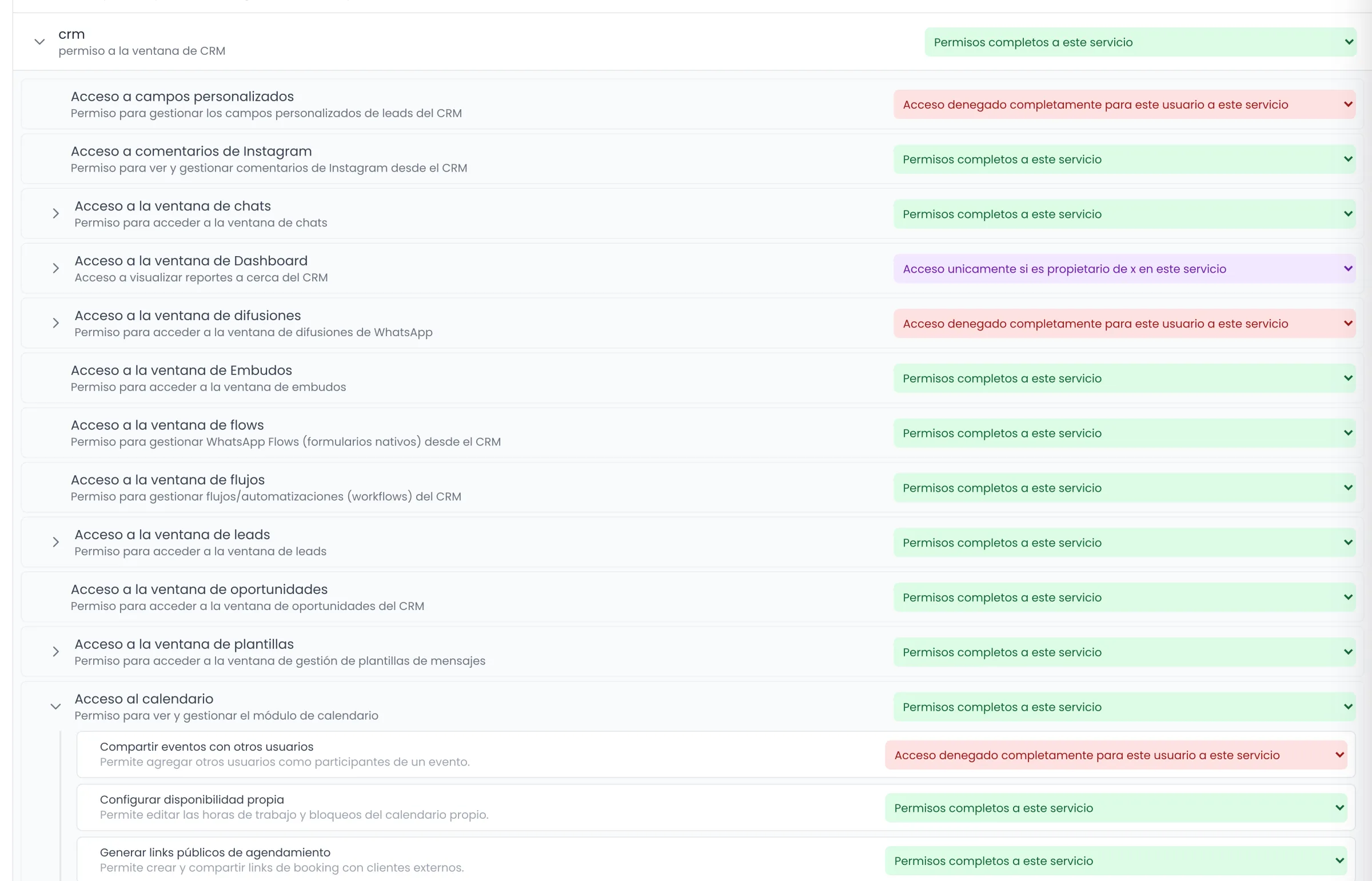
Two permission levels and three scopes.
The module permission opens the door. The screen permission defines what is inside. The scope defines which records.
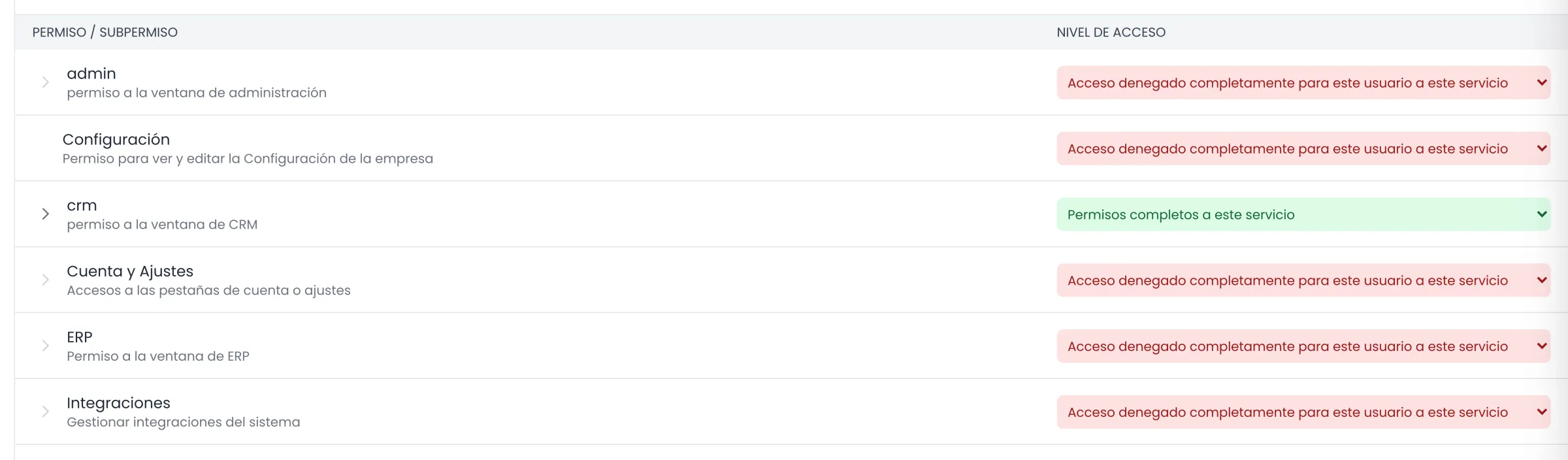
CRM, Administration, ERP, Integrations and Settings. This is the first level: if the module is closed, no screen inside it is reachable.
Granular permissions for specific actions
Delete a lead, run bulk actions, change an opportunity's owner, see other users' events, manage sales goals or the rep cash box: each one is enabled separately.
Work groups
A lead can have several groups responsible for it, and group-level security is also enforced on the server.
Blocks that explain themselves
If a user does not have permission for a screen, they see a message with the reason and the next step, not an error or an empty screen.
The account owner profile is always exempt from any configured hiding rule.
The filter does not live in the screen. It lives on the server.
A restriction that only hides buttons is not a restriction. These are the ones enforced server-side.
Data isolated per company
Every query travels with the company identifier and its own token. Internal caches use a composite company-and-resource key, so no crossover between customers is possible.
Scope enforced on the server
When a user is limited to "own records only", the server receives their identity and their groups and applies the filter. Bulk actions and deletions are validated before they run.
Full audit trail of actions
A timeline per lead with changes to status, stage, owner, fields, tags, workflows run, AI approvals, calls and visits. Plus a history of tax details with the author, a history of opportunity statuses, a history of workflow runs and a record of who deleted each lead.
Automatic daily backups
Daily backup of the platform data.
End-to-end encryption in communications
The messages the platform exchanges with the channels travel end-to-end encrypted.
Your data does not train external models
Your company's information is not used to train third-party models and is not shared with other companies.
The rep does not see what is not theirs to see.
The same customer record looks different depending on who opens it, and the difference is defined without touching code.
Lead #4821 · Sales funnel
- DetailsContact, owner and tags
- Tax detailsCUIT and VAT status
- Purchase history14 orders · last one 9 days ago
- Opportunity amountNegotiation stage
The same record, two roles. Sections and fields are defined per role, with per-user exceptions.
Seen by Sales supervisor (Lucía Ferrer): Details, Tax details, Purchase history, Opportunity amount. Seen by Sales rep (Martín Ruiz): Details.Lead record configurable per role and per user
Which sections, which fields and in what order each profile sees. Per-user settings override the role settings, with three states per field: follow the role, always visible or always hidden.
Fields with their own permission
Each custom field defines its visibility and editability per role and per funnel, whether it is an internal field, whether it is hidden from reps, and whether the AI can read it and write to it.
Visibility per channel
You restrict which users and groups see the threads of a specific number or account. The restriction is enforced on the server, even against the owner of the lead.
Chats limited to the assigned channel
Within the same lead, each rep sees only the channels assigned to them or to their group.
Content approval
Templates created by users without full permission stay pending approval, deletion requests included, in a panel with a counter.
Destructive changes flagged up front
Deleting a custom field also deletes every value stored in it, and the system warns you beforehand. Deactivating it, on the other hand, keeps the data and shows it again when you reactivate it.
The lead comes in and already has an owner.
And if nobody picks it up, it changes hands on its own. The rule is set once and runs without anyone pushing it.
- 01
It is distributed on arrival
Sequential round-robin or percentage-based distribution per rep, with a check that the total adds up to 100 and counters per user.
- 02
Only to whoever is working
You can assign only to reps who are online. Disconnection from inactivity takes them out of the rotation without anyone having to say so.
- 03
If nobody answers, it is handed over
After the number of minutes you define, the lead moves to the rep with the lightest load or to a fixed user, with a cap on hops and exceptions per group, participant or channel.
- 04
Fallback user
A last-resort owner receives whatever no rule managed to assign. No lead is left without an owner.
- 05
Coverage during absences
While a rep is away, their stand-in is added as a participant on their leads and continues the conversation with the full history.
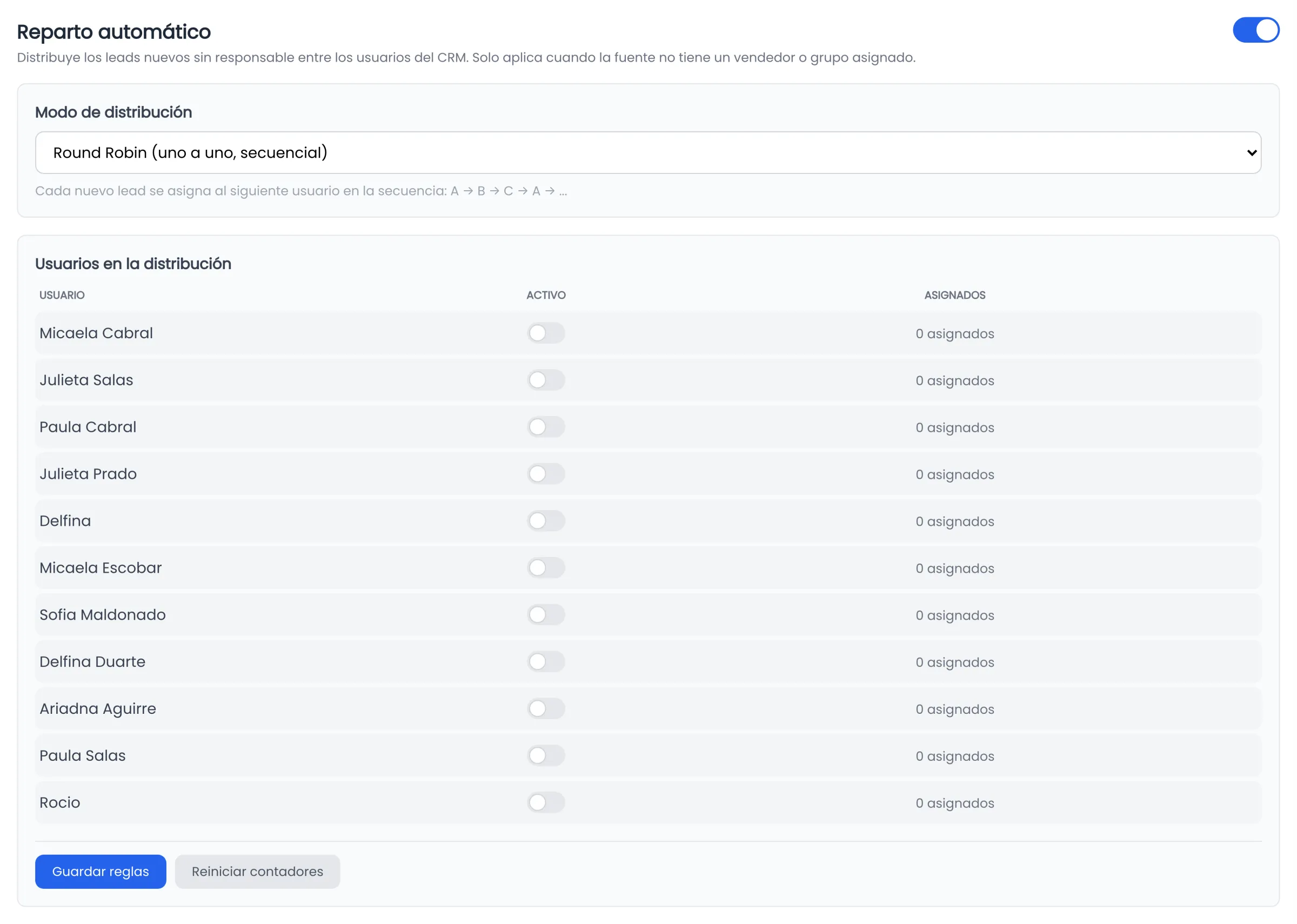
Every handover is recorded: the dashboard shows how many each rep received and how many they handed over.
See Dashboards and reportsWhat usually gets reviewed alongside this.
We review the permission model against your org chart.
In the demo we set up the real roles of your team and test what each one sees. 30 minutes, with whoever runs IT on your side.
Victoria AI · Córdoba, Argentina · Distributed team, operating across Argentina.